Device Description
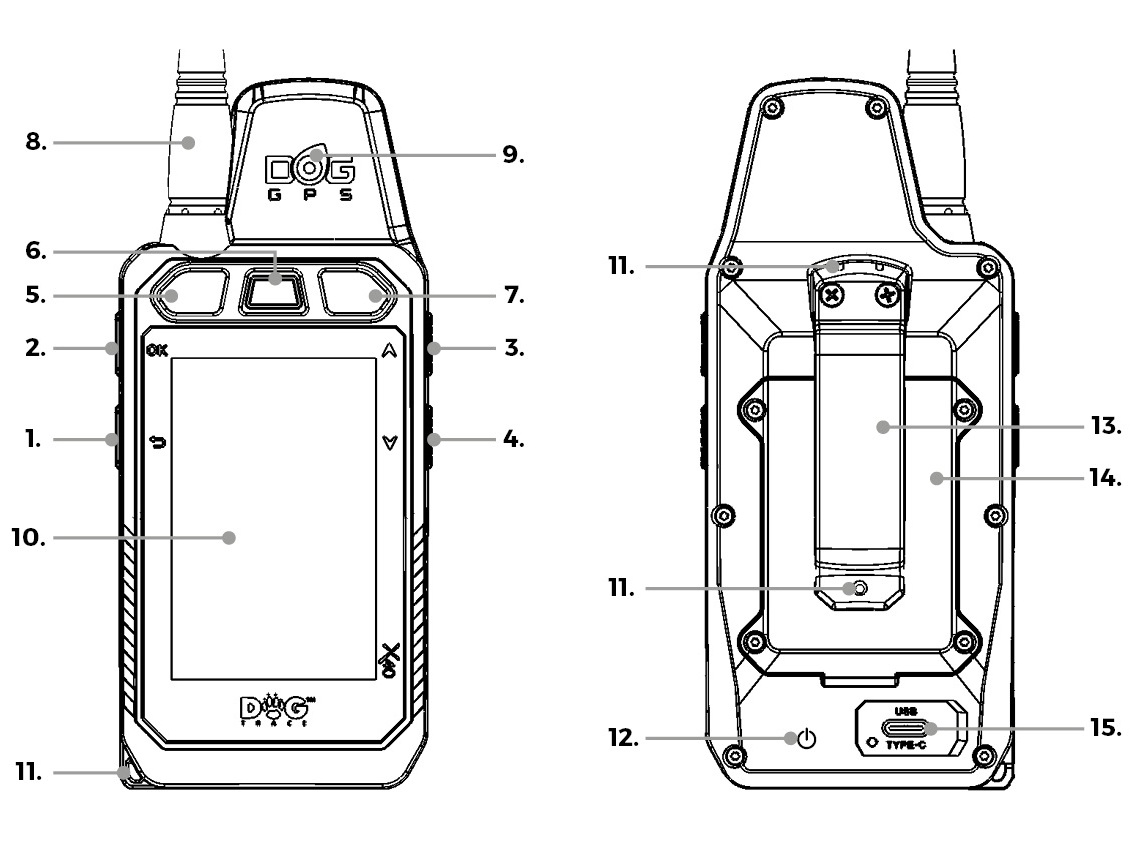
8. RF antenna
9. GPS antenna
10. LCD display
11. Holes for attaching a neck strap
12. Magnet for switching on X30 series collars
13. Belt clip
14. Battery cover
15. USB-C charging port cover
Button Combinations
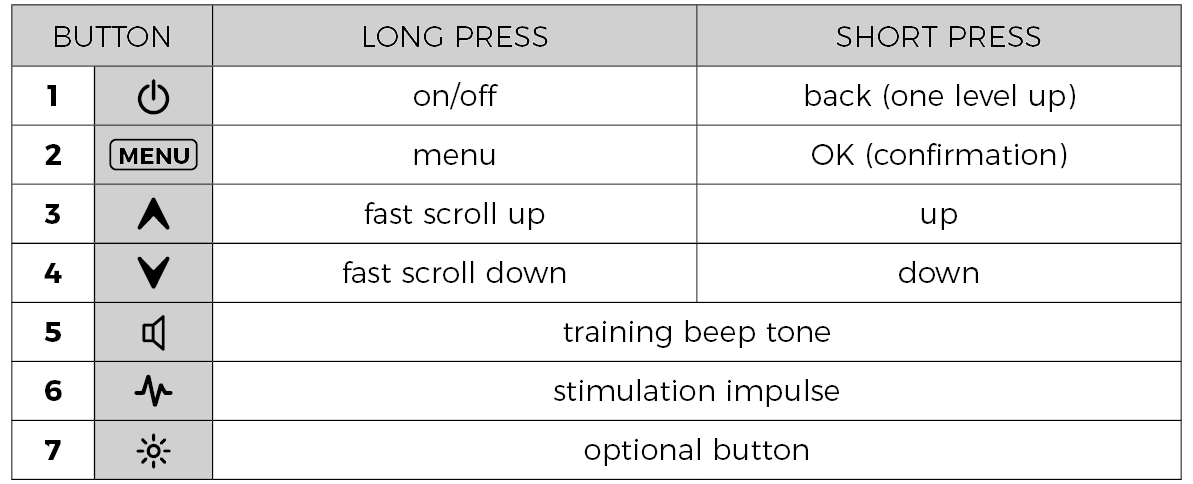
By pressing or holding the following buttons, you can perform these actions:
- ⏻ +
MENU– Hold for 10 seconds to restart the controller. - ⏻ +
 – Save a screenshot to the SD card.
 MENU+ – Turn the display backlight on or off (when manual mode is set).