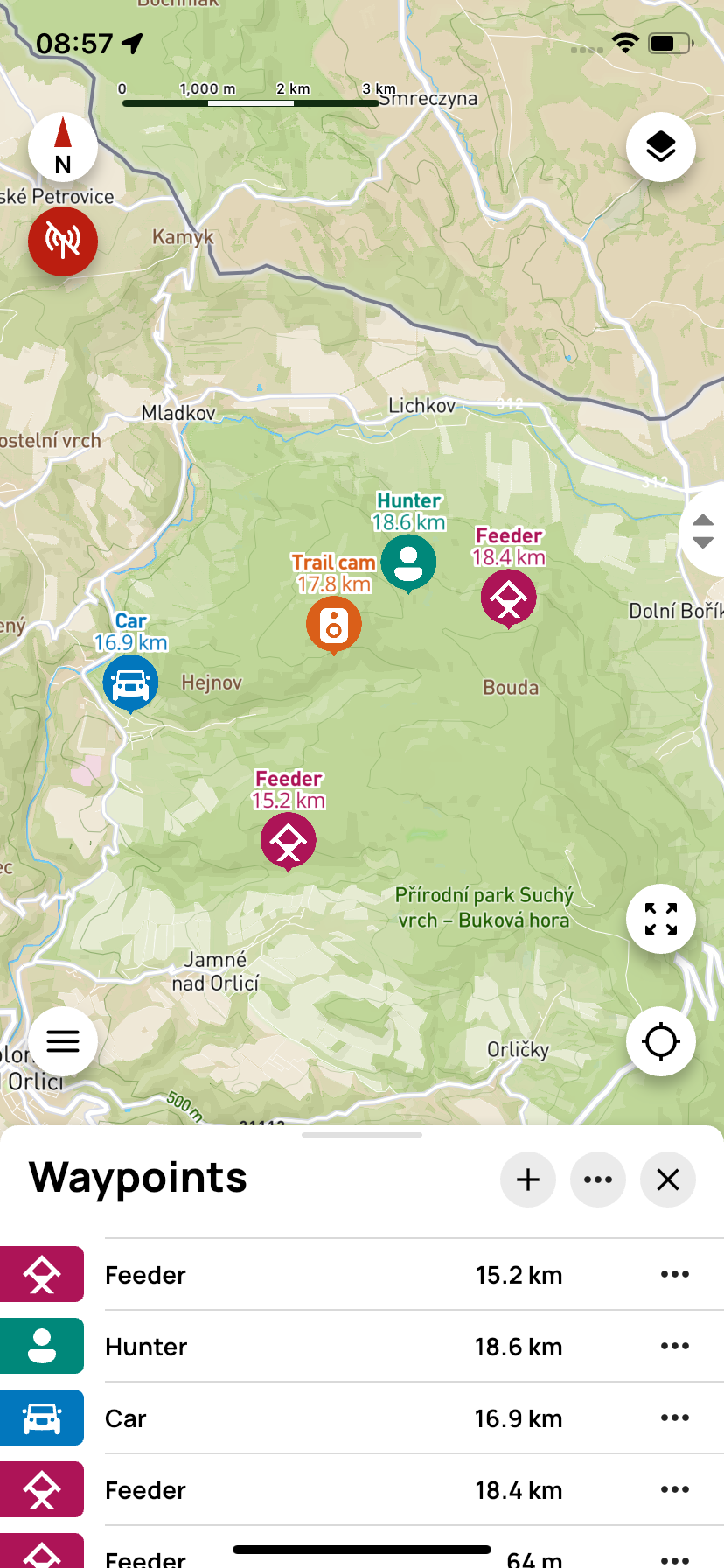
Waypoints
Waypoints are locations you save on your device for later use. These can be, for example, a hunting stand, meeting place, parking lot, a place where game was found, or any other area.
⚙️ Main features
- Create points – Mark important places
- Navigation – Find your way to saved points
- Categorization – Divide points by type (feeder, stand, etc.)
- Sharing – Send points to other team members
👥 Shared icons
- Click the + icon to start creating a new waypoint.
- Next to + is the ··· icon with options Import and Export. // TODO what is this for
- 🗙 is used to close the waypoint panel.
📌 Single waypoint

Clicking on a waypoint (outside the ··· icon) will automatically zoom the map to the selected location.
Clicking the ··· icon opens the action menu:
- Hide – the point will not be visible on the map
- Send to GPS controller / Delete from GPS controller – this saves or deletes the waypoint in the X40 device. If the point is already saved in the X40 controller, the controller icon will appear in the row with this point.
- Navigate – opens a menu of available navigation apps to guide you to the point
- Share coordinates – coordinates can be shared via Gmail, WhatsApp, and other apps
- Export – the point is exported to a .gpx file
- Edit – you can change the position, name, icon, or color of the point
- Delete – removes the point from the app and the controller